Effective review request emails are short, personal and easy to act on. Use a simple request, a grateful request or an incentive request that complies with platform and legal rules. Send the first email a day or two after the purchase or service, follow up at most twice, include a one- click review link, and never ask for a five-star rating.
- Templates save time and keep your tone consistent, but each email still needs personal details such as the customer's name and what they bought.
- Three styles cover most cases: a simple request, a grateful request and a neutral thank-you with a review link.
- Subject lines should be specific and honest, and should not promise rewards you cannot deliver.
- Send the first email soon after the experience and add up to two reminders at a respectful interval.
- A one-click link to the review form removes friction, and a mobile-friendly layout matters because many people read email on a phone.
- Never ask for a five-star review or tie a reward to the rating, because platform rules and consumer protection law prohibit it.
- Honour unsubscribe requests and local rules on marketing email, such as consent requirements where they apply.
- Treat open and response benchmarks you read online as unverified, and measure your own results.
Why are email review requests effective?
- Email lets you reach a customer at a chosen moment with a direct link and a personal message.
- It scales through automation without losing the personal tone if you use merge fields.
- Customers can respond in their own time, which suits longer, more detailed reviews.
- You can measure opens, clicks and completions, which makes testing easy.
- It works well beside other channels such as text messages and QR codes.
What does a simple review request email contain?
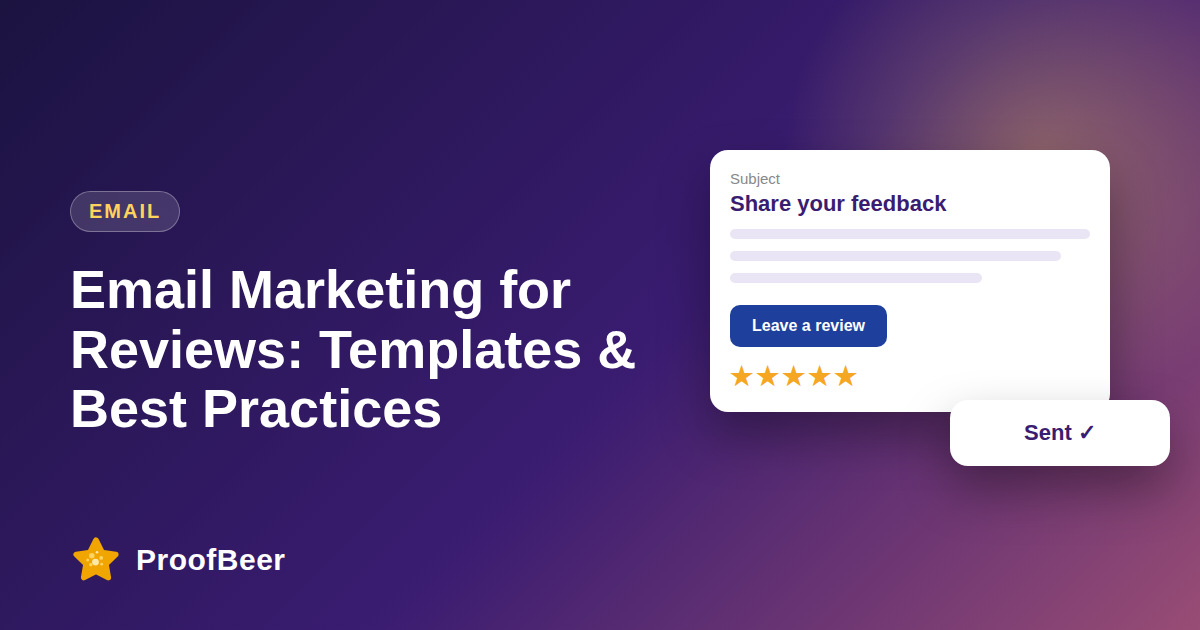
- A clear subject line that names the purchase or service.
- A greeting using the customer's name and a short thank-you.
- One sentence explaining why feedback helps, followed by one clear button.
- A line stating that honest feedback is welcome, whether positive or negative.
- A friendly sign-off from a real person, plus a way to contact support.
How do I write good subject lines?
- Be specific, for example 'How was your order from Brand?' rather than 'We need you'.
- Keep it short enough to read on a phone, and avoid all capital letters and exaggerated punctuation.
- Use the customer's name or product only if the data is accurate.
- Do not imply a reward or urgency that does not exist.
- Test two subject lines against each other and keep the better performer.
When should I send emails and how many?
- Send the first email a day or two after a service or a few days after delivery, then adjust by testing.
- Send up to two reminders, changing the wording slightly each time.
- Stop the sequence when the customer leaves a review, replies or unsubscribes.
- Avoid sending when the customer has an open complaint with support.
- Check the timing guidance in our post on review request timing for more detail.
What compliance rules apply to review request emails?
- Do not ask only for positive reviews, and do not offer rewards in exchange for positive ratings.
- If you give any incentive, disclose it and follow the policy of the platform where the review will appear.
- Include your business identity and an easy unsubscribe option in line with email marketing laws such as CAN-SPAM or GDPR where applicable.
- Avoid copying text from other brands that implies endorsements you do not have.
- Consider legal advice for your region, because rules differ.
Step-by-step: how to do this with ProofBeer
Choose a template style, such as simple, grateful or neutral thank-you, that fits your brand voice.
Customise the greeting, product name and sender so the email feels personal.
Set a delay based on your purchase type and add a stop rule for responders.
Write two subject lines and plan an A/B test between them.
Add a one-click review link and check it opens correctly on mobile.
Send a small test batch to colleagues and confirm that the formatting works in several email apps.
Launch to all eligible customers and monitor opens, clicks and completions.
Refine the wording and timing each month based on your own data.
Common mistakes to avoid
Metrics to track
Open rate, treated as an approximate signal because email apps can distort it.
Click-through rate on the review link.
Review completion rate per email sent.
Average rating and rating distribution of reviews collected.
Unsubscribe and complaint rate.
Quick checklist
Examples and templates
'Hi Sam, thanks for your order. Would you share your honest feedback? It takes about a minute.' plus a button
'Thank you for choosing us. Your opinion helps us improve and helps other customers decide.'
'We hope everything went well. If you would like to leave a review, here is the link.'
- Personalise the first line using real order data
- Keep the button above the fold on mobile
- Never write 'please give us five stars' in any email
How ProofBeer Helps You Grow
Send review request emails with direct links to your ProofBeer review form, so customers can respond in one click .
Use templates and merge fields to personalise requests while keeping tone consistent .
Track completions and ratings to see which template and subject line work best for your own customers .
Frequently Asked Questions
What should a review request email say?
Keep it short: thank the customer, say why feedback helps, add a single button to a review form and welcome honest opinions. Personalise it with the product or service name and send it from a real person.
How soon after purchase should I send a review email?
A day or two after a service, or a few days after delivery for products, is a sensible starting point. Test different delays on your own customers because the best timing varies.
How many review request emails should I send?
One request plus up to two reminders is a common approach. Stop once the customer responds or unsubscribes, and avoid asking again too soon for the same purchase.
Can I offer a discount for leaving a review?
Rules depend on the platform and your region. Never tie a reward to a positive rating, disclose any incentive, and check the policy of the site where the review will appear. When unsure, skip the incentive.
Should I ask for a five-star review?
No. Ask for an honest review and let the customer choose the rating. Asking for five stars can break platform rules and consumer protection laws and tends to produce less credible reviews.
Do review request emails need an unsubscribe link?
Marketing emails generally need an unsubscribe option and sender identification under laws such as CAN-SPAM and GDPR where they apply. Transactional rules can differ, so check the rules for your situation or ask a legal professional.
Conclusion
Good review request emails are short, honest and easy to act on. Personalise the message, send it
at a sensible time and keep every request neutral, so the reviews you earn are credible to
customers and search engines.
- FTC 16 CFR Part 465
- Mailchimp or Klaviyo email guides