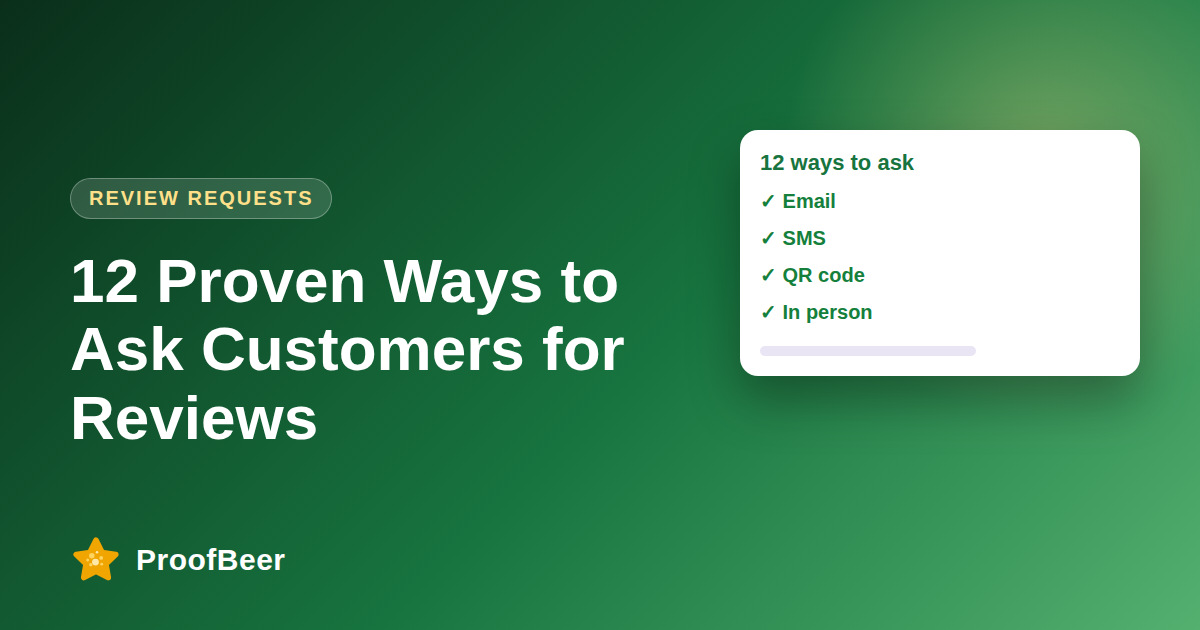
The best ways to ask for reviews include post-purchase email, text messages, QR codes, in-app prompts, thank-you pages, WhatsApp, packaging inserts, support follow-ups, loyalty programmes, social direct messages, video requests and referrals. Ask soon after a good experience, use natural wording such as 'share your experience', personalise the message, include a one-click link and request feedback from every eligible customer.
- Customers rarely leave reviews unprompted, so a consistent, polite request gets more feedback than waiting.
- Using several channels reaches customers where they are, such as inbox, phone, store or app.
- Ask soon after the experience, when details are fresh and the customer has had a chance to use the product.
- Natural wording such as 'share your experience' feels more genuine than asking for stars.
- Personal details and a one-click link make the request easier to answer.
- Never gate reviews, offer rewards for positive ratings or ask customers for specific scores.
- Respect consent rules for text, email and messaging apps, which differ by country.
- Unsourced claims about response rates and open rates should be treated as hypotheses, so measure your own results by channel.
Which digital channels work for review requests?
- Post-purchase email is a reliable default because it can include a personal message and a direct link.
- Text messages are short and immediate, but need proper consent in many regions.
- In-app prompts work for software, where you can ask after a success moment.
- A thank-you page after checkout or sign-up can invite reviews once the product is delivered.
- WhatsApp and similar messaging apps can suit customers who already communicate with you there, subject to the platform's business messaging rules.
Which in-person and physical methods work?
- QR codes on receipts, tables or windows let customers scan and review in seconds.
- Packaging inserts and thank-you cards invite feedback after the product arrives.
- A short, friendly verbal request from staff at the end of a visit can be effective.
- Counter signs and shelf talkers remind customers of the option when they are ready.
- Make sure each method links to the same review page so the data stays together.
Which relationship-based methods help?
- Support follow-ups after a resolved issue can turn a good fix into a public review.
- Loyalty programmes can remind members to share feedback, with any rewards given for taking part and never for a positive rating.
- Social direct messages work for brands with an active community, when sent personally and without spamming.
- Video requests invite customers to record a short testimonial, with consent captured.
- Referral programmes can include a prompt to leave a review, kept separate from any referral reward.
How should I word the request?
- Use phrases such as 'share your experience' or 'tell us how we did' rather than 'give us five stars'.
- Mention the product or service by name so the request feels personal.
- Explain that honest feedback helps other customers and improves your service.
- Provide one clear link or button and keep the message short.
- Thank the customer whether or not they respond.
How do I choose which methods to start with?
- Pick three methods that match how your customers already interact with you.
- Set up templates and direct links for each method.
- Test for a few weeks and compare response rates and rating mix by channel.
- Expand to additional methods once the first three run smoothly.
- Review consent, policy and timing rules for every channel before launch.
Step-by-step: how to do this with ProofBeer
Choose three methods that fit your customers, such as email, QR codes and in-app prompts.
Set up message templates with personal details and a friendly, neutral tone.
Add direct review links and test them on mobile devices.
Confirm consent and policy requirements for each channel you plan to use.
Launch the three methods to all eligible customers, not just those you expect to be happy.
Measure review rate, channel performance, rating mix and time to review.
Optimise wording and timing based on the results for each channel.
Expand to further methods once the first ones are stable.
Common mistakes to avoid
Metrics to track
Reviews collected per month by channel.
Completion rate from request to review.
Rating distribution and average rating.
Median time from request to review.
Opt-out and complaint rates per channel.
Quick checklist
Examples and templates
'Thanks for your order, Sam. Would you share your experience? Here is the link.'
'Glad that worked. Would you share your experience with others?'
'Enjoying it? Scan to tell us how we did.'
- Use a different link or UTM tag per channel so results are measurable
- Thank every reviewer, including those who leave critical feedback
- Rotate wording every few months to avoid sounding repetitive
How ProofBeer Helps You Grow
Create review forms and direct links that work across email, text, QR codes and in-app prompts with ProofBeer.
Automate requests from your sales and support events so every eligible customer is asked at the right time.
Use analytics to compare channels and keep first-party proof you can cite on your own pages.
Frequently Asked Questions
What is the easiest way to ask for reviews?
A short post-purchase email with a direct link is usually the easiest place to start because it is simple to automate and track. Add a second channel, such as QR codes, as soon as the first works.
Should I use text messages to ask for reviews?
Text can be effective for quick requests, but it needs proper consent in many regions and a clear opt-out. Keep messages short, send them at sensible hours and follow local rules.
Can I ask for reviews on WhatsApp?
Possibly, if the customer has opted in to hear from you and you follow WhatsApp's business messaging policies. Check current rules and avoid sending unsolicited messages to people who have not agreed.
How many channels should I use?
Start with two or three that suit your customers, then add more once you have templates, links and tracking working. More channels are not better if they make messages repetitive or hard to manage.
Is it okay to ask for a five-star review?
No. Ask for an honest review and let customers choose the rating. Asking for specific scores, or rewarding positive ratings, can break platform policies and consumer protection laws.
How do I know which method works best?
Use separate links or UTM parameters for each channel and compare completion rate, rating mix and time to review over a few weeks. Keep the best-performing methods and refine or drop the rest.
Conclusion
Asking is the most reliable way to earn reviews. Combine a few channels, ask at the right moment, keep the wording natural and make it a one-click task, while staying honest and compliant.
- Google Business Profile - get your review link
- FTC rule
- Email and SMS benchmarks