Back to all articles
August 15, 2026•5 min read

Embed Google & Facebook Reviews Without Plugins

Step-by-step guide to display Google Business and Facebook reviews on any website without heavy WordPress plugins, using a cloud sync and a lightweight.

Embed Google & Facebook Reviews Without Plugins
⚡ Quick Answer

You can embed Google and Facebook reviews without plugins by connecting your Google Business Profile and Facebook Page to a cloud review tool, choosing a widget layout, and pasting one deferred JavaScript snippet into any website builder. The script loads asynchronously, so it does not slow the page or hurt Core Web Vitals.

📌 Key Takeaways
  • Heavy plugins load 200KB+ and can damage Core Web Vitals.
  • A cloud sync handles the Google and Facebook APIs for you.
  • One deferred snippet works in Shopify, WordPress, Webflow, Squarespace, Wix, Framer and Kajabi.
  • Filter by rating so only 4-star and 5-star reviews are shown.
  • Screenshots of reviews are not indexable and quickly go out of date.

The problem with traditional review plugins

  • WordPress plugins often run extra database queries on every page load.
  • They add large CSS and JavaScript files that hurt LCP and INP.
  • Iframe embeds look clunky on mobile and cannot match your fonts.
  • Manual screenshots look amateur, are not indexable and become outdated.

The modern approach: cloud sync plus a light embed

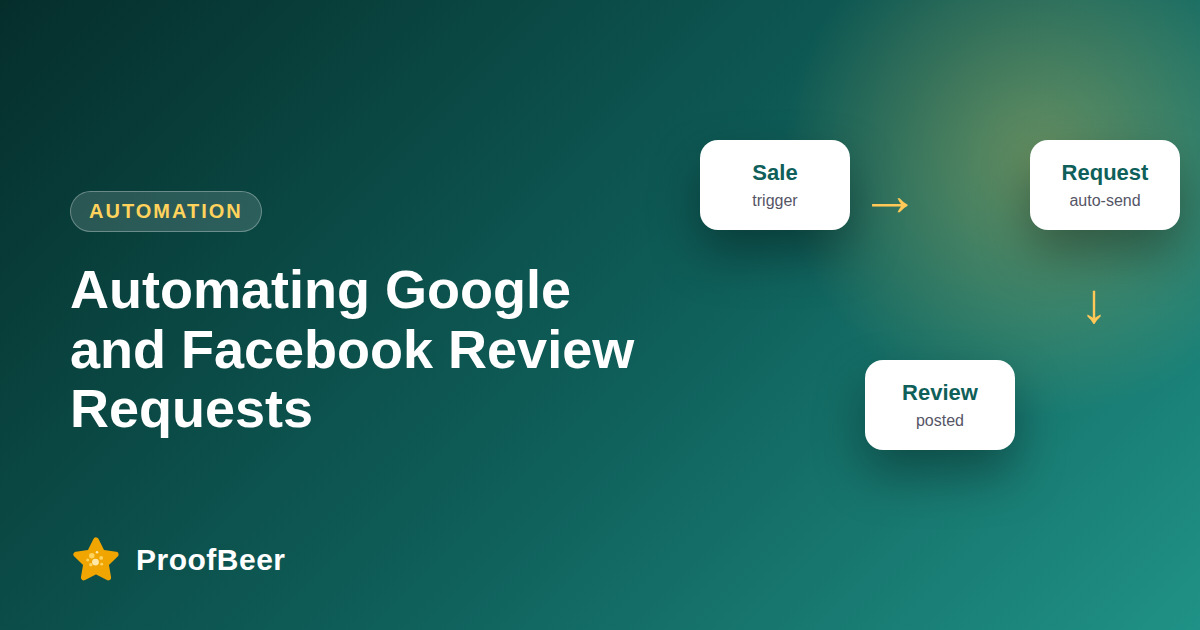
  • The review tool connects to Google and Facebook through official APIs on its own servers.
  • New reviews are imported automatically within minutes.
  • Your site only loads a tiny deferred script, so there is no server load.
  • You control layout, filters and colours from a dashboard.

Choose a layout

  • Horizontal carousel: homepage hero, loops smoothly with no layout shift.
  • Masonry grid: dedicated review or testimonial page.
  • Compact avatar badge: near forms and checkout, e.g. '4.9 / 5 based on 150+ reviews'.

Example embed code

  • Paste where the widget should appear:
  • Then add before :
  • The defer attribute stops the script from blocking page rendering.
  • Confirm the exact snippet and domain in your dashboard before publishing.

SEO note for AI and Google

  • Google does not allow star-rating rich results for reviews that a business controls about itself, and it does not allow aggregating ratings from other sites in schema. Do not add AggregateRating markup for your own Google reviews.
  • Visible, crawlable review text is still useful for users and for AI engines.
  • Keep a text version of 2-3 featured reviews in the HTML, not only inside a script.

Step-by-step: how to do this with ProofBeer

1

Open ProofBeer and go to Integrations > Review Platforms > Google.

2

Search your business name or paste your Google Place ID and authorise read access.

3

Turn on Auto-Sync so new reviews import automatically.

4

Connect your Facebook Page the same way and set a minimum star filter (e.g. 4 stars).

5

Choose a widget layout and match brand colours.

6

Copy the snippet into your site and test on mobile.

7

Check PageSpeed Insights before and after.

Common mistakes to avoid

⚠️ Pitfalls & Mistakes to Avoid
✕ Using an iframe that cannot be styled.
✕ Adding AggregateRating schema for your own reviews.
✕ Showing only 5-star reviews and nothing else.
✕ Forgetting to set a cache or refresh schedule.
✕ Not testing on mobile.

Metrics to track

📊

LCP and CLS before vs after the embed.

📊

Number of Google and Facebook reviews imported.

📊

Click-through on the widget.

📊

Conversion rate on pages with the embed.

Quick checklist

✓ Locate your Google Place ID
✓ Authorise the Google connection
✓ Connect the Facebook Page
✓ Set a minimum star filter
✓ Choose the layout
✓ Paste the snippet
✓ Run PageSpeed Insights
✓ Check mobile

Examples and templates

CMS tip

Shopify -> theme.liquid or a custom Liquid section

CMS tip

WordPress -> 'Custom HTML' block

CMS tip

Webflow -> Embed element

CMS tip

Squarespace/Wix -> Code or Embed block

💡 Pro Tips & Best Practices
  • Keep 2-3 reviews as plain HTML text under the widget so they are crawlable
  • Never add AggregateRating schema for your own Google reviews
  • Re-test after theme updates

How ProofBeer Helps You Grow

Official-API sync of Google Business Profile and Facebook Page reviews with auto-refresh.

Filter rules by rating, keyword and date.

Embed on any CMS in under three minutes with a deferred script.

Frequently Asked Questions

How do I embed Google reviews on my website without a plugin?

Connect your Google Business Profile to a cloud review tool, pick a widget, and paste the single JavaScript snippet into your page or theme. No plugin install is needed.

Will embedding reviews slow my website?

A deferred, lightweight script has very little impact. Heavy plugins that load 200KB+ of assets can slow the page, so measure with PageSpeed Insights.

Can I show Facebook reviews and Google reviews together?

Yes. Connect both sources, apply a rating filter, and show them in one widget so visitors see a combined picture.

Do embedded Google reviews help SEO?

They add fresh, relevant content and improve engagement. However, Google does not show star snippets for self-controlled reviews, so do not rely on rich results.

Does this work on Shopify, Webflow and Squarespace?

Yes. Paste the snippet into a custom code block, theme file or embed element.

Conclusion

Cloud-synced embeds are the fastest, safest way to show Google and Facebook reviews. Connect

sources, filter, paste one snippet, and keep your Core Web Vitals healthy.

Sources & References
  • Google Search Central - Review snippet structured data guidelines
  • Google Business Profile Help - review policies
  • web.dev Core Web Vitals
R

Written by Ronak

Marketing Head at ProofBeer

Growth and marketing lead helping businesses build customer trust, automate review collection, and maximize website conversion rates.

Ready to Collect & Display High-Converting Social Proof?

Start collecting video and text reviews in minutes. Sync Google and Facebook reviews seamlessly.