Use reviews in paid ads by adding verifiable ratings and short customer quotes to ad copy, enabling Google seller ratings or review assets where eligible, and testing testimonial creatives on Meta. Social proof usually earns more trust than generic offers, but results vary, so run controlled tests and track CTR, conversion rate and CPA.
- Social proof builds trust before the click and can lift ad engagement.
- Use only ratings and quotes you can verify, and follow each platform's policy.
- Google seller ratings and review assets depend on eligibility and approved sources.
- Test quote graphics, customer video and before/after formats on Meta.
- Match the landing page proof to the ad so the message stays consistent.
Why reviews improve ad performance
An ad interrupts someone who does not know you. The first question in their mind is "can I trust this company?" Reviews answer it quickly. BrightLocal's 2026 Local Consumer Review Survey found that 97% of consumers read reviews for local businesses and that 74% focus on reviews from the last three months. Northwestern's Spiegel Research Center found that products with five reviews were 270% more likely to be purchased than products with none. Putting verified proof in the ad, and repeating it on the page the ad leads to, removes doubt at two moments: the click and the purchase.
Using reviews in Google Ads
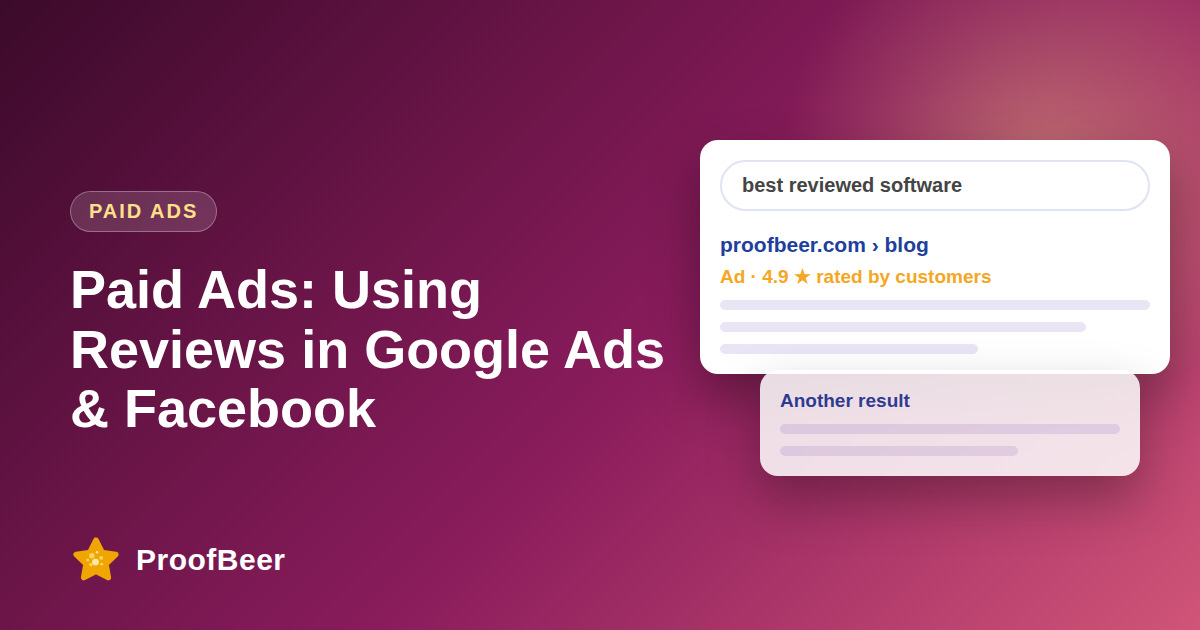
Seller ratings. Seller ratings show a star rating and review count with eligible ads. Third-party summaries of Google's requirements list at least 100 unique reviews in the past 12 months, an average rating of at least 3.5 stars, reviews from Google-approved sources rather than only your own website, review language that matches the country where the ads show, and a domain that matches your Google Ads account. Ratings can take weeks to appear after you qualify. Check Google's current help page before you plan around the numbers.
Review sources. Google-approved sources include Google Customer Reviews and some third-party review platforms. Reviews that appear only in a widget on your own site generally do not count towards seller ratings, so seller ratings and an on-site widget do different jobs.
Ad copy that uses proof. Strong copy is specific and verifiable. "4.8 stars from 1,200+ customers" works if you can show where the number comes from. A short quote that names a result, such as "Cut my reporting time in half", works better than "Great service". Avoid claims like "number one rated" unless you can cite a source.
Assets and extensions. Use callouts or structured snippets for short proof points such as "Trusted by 3,000 customers" or "Rated 4.8 on Google".
Landing page match. Repeat the same rating or quote above the fold on the landing page. A ProofBeer carousel or badge widget with synced Google reviews keeps the page current and matches the promise in the ad. See /embed-google-reviews.
Keep records. Save the source and date of every number you use, in case an ad is disapproved or questioned.
Using reviews in Facebook and Instagram ads
Formats that work well:
- Quote card: one sentence from a customer, their first name and role, a photo if you have permission, and your product.
- Short video testimonial (15 to 30 seconds): state the result in the first three seconds, then show the person.
- Review carousel: three to five cards, each with a quote and a star rating.
- User-generated content: customer photos or posts used only with explicit approval.
- Screenshot of a public review: crop honestly and keep the source and date visible.
Creative rules. Use the customer's own words and do not edit the meaning. Do not imply that a person has a health condition, financial status or other personal attribute, because Meta's advertising standards restrict personal-attribute claims. Be careful with before-and-after claims, which are restricted in some categories. Read Meta's current Advertising Standards before launch, as categories such as health, finance and housing have extra rules.
Match proof to the audience. Use quotes from small business owners for small business audiences and from creators for creator audiences. A specific proof point from someone like the viewer is stronger than a generic five-star score.
Legal and compliance checklist
- FTC rule on consumer reviews and testimonials (effective 21 October 2024): no fake reviews or testimonials, no buying positive reviews on third-party platforms and no suppressing negative reviews through false claims or threats. Insiders must clearly disclose their relationship.
- Endorsement disclosure: if the person was paid, received a free product or earns an affiliate commission, say so clearly in the ad.
- Permission: get written consent for names, photos and video.
- Claims: results must be typical, or clearly qualified, and you must be able to substantiate them.
- Local rules, including the GDPR, UK advertising rules and other national codes, may add requirements.
This is general information, not legal advice.
A four-week testing plan
Week 1: record baseline CTR, conversion rate, cost per acquisition and return on ad spend for your best campaign. Week 2: test proof versus no proof in the ad copy, changing only that variable. Week 3: test the type of proof: quote, rating plus count, or short video. Week 4: test the landing page, with and without a review widget above the fold. Keep budgets and audiences equal, wait until each variant has enough conversions, and change one thing at a time. Log results in a sheet; ProofBeer can send new feedback to Google Sheets automatically (/integrations/automation-tools/google-sheets). Results vary by industry, so avoid promising a particular uplift.
A simple review-to-ad workflow with ProofBeer
- Collect: send a ProofBeer form after purchase or onboarding.
- Approve: choose the best quotes and confirm permission.
- Sync: connect Google and Facebook reviews so ratings stay current.
- Reuse: pull approved quotes (for example via the Google Sheets sync) into ad creative.
- Match: show the same proof on the landing page with a widget.
- Measure: compare conversion rates by ad variant and keep what wins.
Step-by-step: how to do this with ProofBeer
Select three verified quotes with written permission.
Write three ad variants: rating headline, quote headline and outcome headline.
Create matching creatives: graphic, video, carousel.
Build a landing page with the same proof near the call to action.
Launch an A/B test with equal budgets.
Review results after one to two weeks and keep the best variant.
Refresh creatives monthly to avoid fatigue.
Common mistakes to avoid
Metrics to track
CTR by variant.
Conversion rate on the landing page.
Cost per acquisition.
Return on ad spend.
Quality score or relevance diagnostics.
Quick checklist
Examples and templates
Rated 4.8 by 1,200+ customers
'It cut our reporting time in half' - Sarah M.
Join 10,000+ teams who switched
- Keep proof of every rating shown
- Refresh creatives every 2-4 weeks
- Use the same quote on the landing page
How ProofBeer Helps You Grow
Collect, approve and tag quotes in one library.
Export quote graphics and reuse video testimonials.
Show matching widgets on landing pages so the ad promise is proven after the click.
Frequently Asked Questions
Can I use website reviews in Google Ads?
You can quote real, substantiated reviews in ad copy, but seller ratings use Google-approved review sources.
How many reviews do I need for Google seller ratings?
Third-party guides report at least 100 reviews in the last 12 months and an average of 3.5 stars. Confirm on Google's help page.
Are customer quotes allowed in Facebook ads?
Yes, if they are truthful, you have permission and the ad follows Meta's Advertising Standards.
Do ad testimonials need a disclosure?
If there is a material connection, such as payment or a free product, yes.
Can I use customer reviews in Google Ads?
Yes, within Google's policies. You can include accurate ratings and quotes in ad text, and use seller ratings or review assets when eligible. Keep proof of the source.
Do testimonial ads convert better than generic ads?
Often they do because they reduce perceived risk, but the effect varies by audience and offer. Test against your control ad.
How do I get star ratings to show in Google Ads?
Eligibility depends on approved review sources and the type of ad or extension. Check the current requirements in Google Ads Help for your account.
What should I do if my reviews are mixed?
Use honest, specific quotes from satisfied customers and fix the problems the negative reviews describe. Do not hide or fabricate reviews.
Do I need permission to use a customer's name and photo?
Yes. Get written consent for advertising use and keep a record.
Where should proof appear after the ad click?
Place a matching rating badge or quote above the fold, near the main call to action, and repeat it on pricing or checkout pages.
Conclusion
Reviews make ads more credible when they are real, current and relevant. Use verified quotes, follow policies and test each change, then carry the same proof onto your landing pages.
- Google Ads Help - advertising policies, seller ratings
- Meta Business Help - advertising standards
- FTC Endorsement Guides