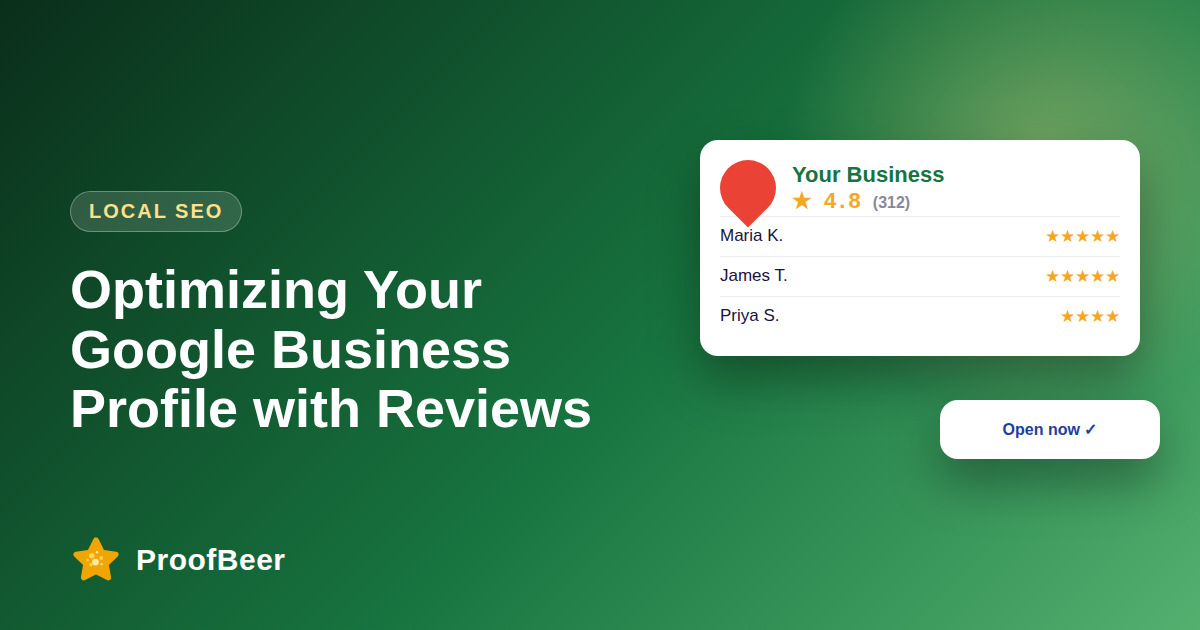
To optimise a Google Business Profile, claim and verify it, complete every field with accurate information, choose the most specific primary category, collect reviews steadily, respond to all of them, add real photos, answer questions and post updates. Google says local ranking depends on relevance, distance and prominence, and reviews are part of prominence.
- Google states that local results are ranked mainly by relevance, distance and prominence, so each profile improvement should support at least one of those.
- Accurate name, address, phone number, categories and hours are the foundation, and they must match your website.
- Reviews, ratings and your replies add prominence and trust, and Google recommends responding to them.
- Do not offer incentives for positive reviews, and do not filter who is invited to review, because both break Google's policies.
- Real photos of your exterior, interior, team and products help people decide and keep the profile fresh.
- Do not stuff keywords into your business name, because misrepresenting the name can cause suspension.
- Posts, services and answers to questions give more detail for both customers and search systems.
- Check the Performance insights each month to see calls, direction requests and website clicks.
How complete should your profile be?
- Business name, address and phone number must be accurate and consistent with your website and other listings.
- Choose the most specific primary category and add secondary categories that truly apply.
- Write a clear description of what you offer in natural language, without promotional stuffing.
- List your services or products with short descriptions, and add attributes that apply.
- Keep hours, special hours and contact links current, especially around holidays.
How should you collect and manage reviews?
- Ask every customer after a good experience, using a direct review link to reduce friction.
- Respond to all reviews, positive and negative, with a polite and specific message.
- Never offer rewards in exchange for positive reviews, and do not selectively invite only happy customers.
- Report reviews that break Google's policies, such as spam or conflicts of interest, through the proper tools.
- Track your review count and rating trend so you notice sudden changes.
Which photos and media should you add?
- Add high-quality photos of your exterior so people can recognise the location.
- Show the interior, the team and your products or services in use.
- Update photos regularly and remove outdated ones from the profile.
- Use real images rather than stock photos, which can mislead and may violate guidelines.
- Add short videos where appropriate, following Google's format and length limits.
How can questions and posts help?
- Check the Q and A area regularly, and answer questions quickly and accurately.
- Seed helpful answers to common questions only in line with Google's rules, and avoid fake questions.
- Post updates, offers and events to show that the business is active.
- Use clear images and a single call to action in each post.
- Follow Google's post and content policies to avoid removal.
How do you measure results?
- Review search views and profile views in the Performance section of your profile.
- Track actions such as calls, direction requests and website clicks.
- Monitor your review count, rating and response rate over time.
- Compare your profile with nearby competitors to spot gaps in photos or reviews.
- Make one improvement at a time so you can see what influences results.
Step-by-step: how to do this with ProofBeer
Claim and verify your Google Business Profile if you have not already.
Complete every relevant field and check that the details match your website.
Add real photos of your exterior, interior, team and products.
Set up a simple, compliant review request flow with a direct link.
Respond to every review within a day or two, using a personal tone.
Post updates and keep services, hours and Q and A current.
Review the Performance insights monthly and adjust your plan.
Common mistakes to avoid
Metrics to track
Profile views from both Google Search and Google Maps.
Calls, direction requests and website clicks from the profile.
Number of new reviews received each calendar month.
Average rating and the share of reviews you answered.
Number of fresh photos and posts added each quarter.
Quick checklist
Examples and templates
name, address, phone, categories, hours, description, services, attributes
exterior, entrance, interior, team, products, work in progress
seasonal offer, new service, event, customer story with consent
- Use the name your customers use, exactly as shown on your signage
- Check for duplicate listings and merge or remove them
- Set a monthly calendar reminder to review insights and respond to reviews
How ProofBeer Helps You Grow
Google review sync can bring your Google reviews into one dashboard alongside other sources.
Review request automation helps you send consistent, compliant requests with direct links.
Widgets can display your Google reviews on your website so visitors see your proof without leaving the page.
Frequently Asked Questions
How do I rank higher on Google Maps?
Improve relevance, distance and prominence as Google describes. Complete your profile, choose accurate categories, collect reviews steadily, respond to them and keep information consistent. You cannot control distance, and you cannot buy a higher ranking.
Do reviews matter for local SEO?
Yes. Google lists review count and score as factors in prominence, and reviews also influence customers who compare options. Focus on genuine, steady reviews and thoughtful replies rather than chasing a single number.
How many photos should my profile have?
There is no fixed number. Add a good variety that shows the exterior, interior, team and products, and refresh them regularly. Make sure the images are real, well lit and accurate to what customers will see.
Can I ask customers for Google reviews?
Yes, you can ask, and a direct link makes it easier. You must not offer incentives for positive reviews or discourage negative ones. Ask everyone after service, not only customers you expect to be happy.
How often should I post on my Google Business Profile?
Post regularly enough that your profile looks active, for example when you have an offer, event or update. Do not rely on old claims about post expiry, and check current Google Help guidance for how posts are displayed.
Does responding to reviews help?
Responding builds trust with readers and shows that you listen. Google encourages replies, and a well-written response can also reassure future customers. It is not a guaranteed ranking factor, so do it for customers first.
Conclusion
A complete, accurate and active Google Business Profile with fresh reviews supports local visibility. Follow Google's policies, respond to customers and review your insights every month.
- Google Business Profile Help - Improve your local ranking
- Google Business Profile guidelines