Review schema is JSON-LD structured data that marks up reviews and ratings so search engines can understand them. Use Review or AggregateRating inside an eligible type such as Product or SoftwareApplication, mark up only reviews visible on the page, and avoid self-serving LocalBusiness or Organization ratings. Validate with the Rich Results Test and Schema Markup Validator, and remember Google decides whether to show stars.
- Review markup tells search engines what a rating refers to, but it does not guarantee star snippets, since Google chooses when to show them.
- Use JSON-LD, which Google recommends, and place it on the page that displays the reviews.
- Only mark up reviews that users can see on the page, and that were collected by your own platform from genuine customers.
- Google's guidelines do not allow self-serving review markup for LocalBusiness or Organization entities when the business controls the reviews about itself.
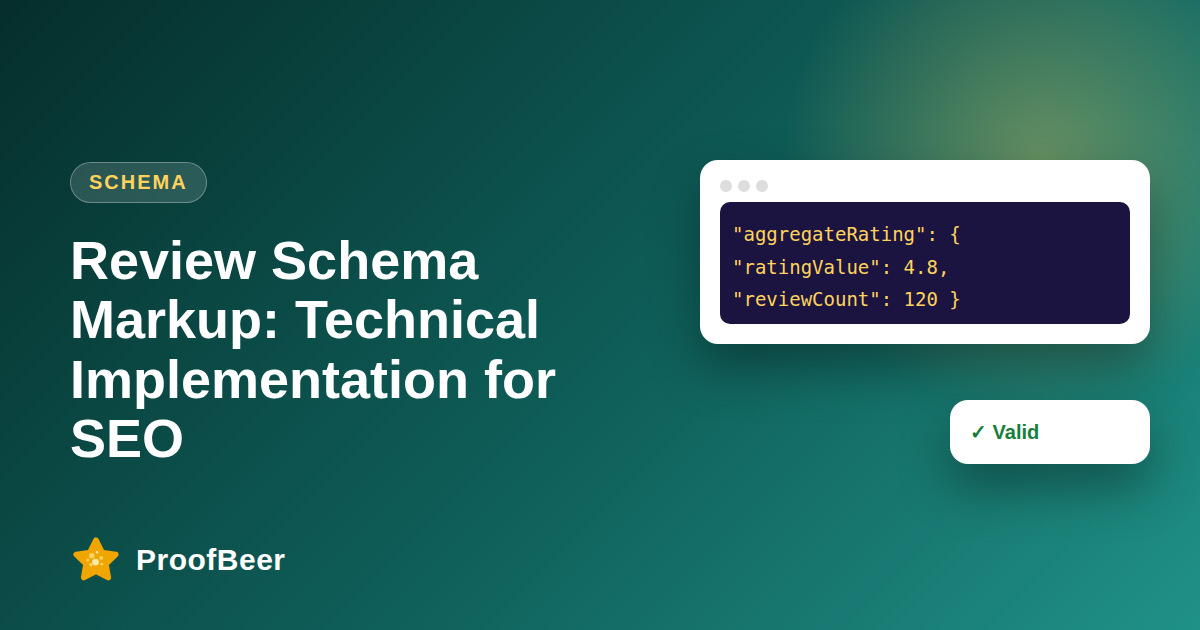
- Always specify the item being reviewed with a name and the correct type, and include ratingValue, reviewCount or ratingCount that match the visible content.
- Do not copy ratings from third-party sites into your markup or inflate counts.
- Validate before launch with Google's Rich Results Test and the Schema Markup Validator, then monitor Search Console enhancement reports.
- Treat claims of fixed click-through or ranking gains from schema as unsupported and track your own data.
What is review schema and what does it do?
- Review schema is structured data that describes individual reviews and aggregate ratings in a way that machines can read.
- Search engines can use it to better understand a page and may show a rating as a rich result when the page is eligible.
- It does not directly raise rankings, and Google says structured data helps understanding and eligibility rather than guaranteeing display.
- Structured data also supports AI search engines that read pages, because it clearly connects ratings with a named item.
- Review markup must match what visitors can see, or it risks being ignored or penalised.
Which types and properties should you use?
- Use Review for a single review and AggregateRating for an overall summary, nested inside the item being rated.
- Choose an eligible parent type such as Product, SoftwareApplication, Course, Recipe or Book, as listed in Google's review snippet documentation.
- Include the item name, ratingValue, bestRating where needed, and reviewCount or ratingCount.
- For a Review, include author, reviewRating and datePublished where possible, and reviewBody if the text is visible.
- Check the current required and recommended properties in the Google Search Central documentation, since they change.
What are Google's restrictions?
- Google does not show review stars for LocalBusiness or Organization pages when the reviews are about the business itself and controlled by it, which it calls self-serving.
- Do not mark up reviews that you cannot show on the page, or that are written by the business or its staff.
- Do not aggregate ratings from other websites such as Google Maps or Facebook into your own markup.
- Do not add review markup to pages that list many different items without a clear single subject, such as a category page.
- Make sure each rating belongs to a specific, named item that is the main focus of the page.
How do you implement it step by step?
- Decide which pages truly feature a single rated item and display the reviews visibly in the HTML.
- Write a JSON-LD script in the page head or body that describes the item and nests the aggregate rating.
- Make sure the numbers in the markup match the visible numbers exactly, including the review count.
- Generate the markup from your review data automatically to avoid mismatches after new reviews arrive.
- Deploy to a test page first, validate, and then roll out to the rest of the site.
How do you test and monitor?
- Use Google's Rich Results Test to see if the page is eligible for review snippets and to find errors.
- Use the Schema Markup Validator at validator.schema.org to check syntax across all schema types.
- After publishing, open Search Console and check the enhancement reports for warnings and errors.
- Request re-indexing for important pages and check the live version in the URL Inspection tool.
- Re-test after every template change, because a small edit can break the markup silently.
How does this fit with the other review and SEO posts?
- This post is intended as the single pillar for review schema implementation, so overlapping posts on rich snippets and review SEO should be merged into it with 301 redirects.
- Link to this guide from related pages about collecting reviews, displaying reviews and local SEO.
- Keep one maintained checklist and sample code so the information stays correct as Google updates guidelines.
- Add a visible last-updated date and cite Google Search Central and Schema.org as sources.
- Remember that Google says no special markup is required for AI features, so focus on accurate content as well as schema.
Step-by-step: how to do this with ProofBeer
Identify pages where a single product, service or software item is reviewed and the reviews are visible.
Confirm that the item type is eligible for review snippets in Google's documentation.
Write JSON-LD that names the item and includes AggregateRating and a few Review entries.
Make the markup values match the visible rating and review count exactly.
Test with the Rich Results Test and the Schema Markup Validator and fix any errors.
Deploy the markup through your template so it updates automatically with new reviews.
Monitor Search Console enhancement reports and re-inspect key URLs.
Review the markup every quarter against Google's latest structured data guidelines.
Common mistakes to avoid
Metrics to track
Number of pages with valid review markup and no errors.
Warnings and errors in Search Console enhancement reports.
Impressions and click-through rate for pages eligible for review snippets.
Share of markup values that match the visible review data.
Time taken to detect and fix schema errors after a template change.
Quick checklist
Examples and templates
type Product, name of the product, aggregateRating with ratingValue and reviewCount that match the page
author name, reviewRating ratingValue, datePublished and reviewBody that is visible
'Rich Results Test passed, Schema Validator no errors, Search Console clean after 14 days'
- Generate markup from the same data source as the visible rating
- Never hardcode a rating that can change
- Merge overlapping schema posts and 301 redirect them to one pillar
How ProofBeer Helps You Grow
Show real customer reviews in an embedded ProofBeer widget on pages about a specific product or service .
Collect reviews on your own platform so they meet Google's requirement that marked-up reviews are first-party and visible.
Export review counts and averages to keep your structured data numbers accurate and in sync .
Frequently Asked Questions
Will review schema guarantee star ratings in search?
No. Google decides whether to display review snippets, and the page must follow its guidelines and be eligible. Valid markup makes a page eligible but does not guarantee a result.
Can I add AggregateRating to my homepage?
Usually not for reviews about your own business. Google treats ratings for LocalBusiness or Organization entities controlled by that business as self-serving and does not show stars for them. Use markup on pages about a specific eligible item.
Is JSON-LD better than microdata?
Google recommends JSON-LD because it is easier to maintain and does not mix with page markup. Microdata and RDFa are still supported, but most teams find JSON-LD simpler to generate and test.
Can I mark up reviews from other websites?
Do not copy or aggregate ratings from third-party sites into your own markup. Mark up only reviews collected on your own platform and visible on the page, as Google's guidelines state.
Do I need schema to appear in AI Overviews?
Google says that no special markup is required for AI features, so accurate content, helpful answers and good technical SEO matter most. Structured data still helps machines understand your page and may support other rich results.
How often should I check my markup?
Test after any template or review widget change, and review Search Console reports monthly. Also recheck once a quarter against Google's documentation because eligibility rules and recommended properties can change.
Conclusion
Review schema is a precise tool rather than a shortcut. Use eligible types, mark up only visible
first-party reviews, avoid self-serving markup, validate carefully, and measure your own results
instead of trusting promised lifts.
- Google Search Central - Review snippet and Structured data guidelines
- Schema.org AggregateRating