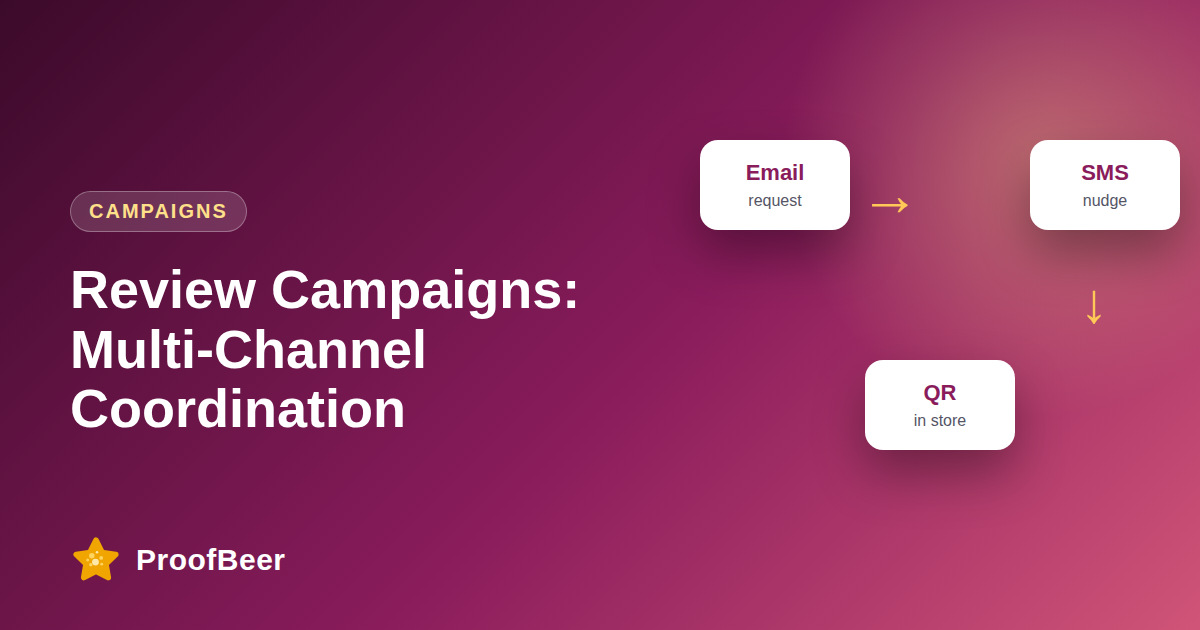
A multi-channel review campaign sends coordinated requests across email, SMS and in-app or push messages over several days, with each message adapted to its channel and stopped as soon as the customer reviews. Segment by behaviour, space messages out, cap frequency, honour consent rules, and measure results on your own data.
- Different customers respond on different channels, so a coordinated sequence reaches more people than a single email.
- The campaign should stop for each customer the moment they leave a review, or they will receive requests they have already answered.
- Each channel has its own tone and length: email can be fuller, SMS must be short, and in-app prompts must be quick.
- SMS and marketing email need proper consent, and rules such as TCPA, CAN-SPAM and GDPR affect how and when you can send.
- Space messages across several days and set a hard cap on the total number of requests per customer.
- Segment by behaviour, such as recent purchase, onboarding milestone or support resolution, so the request fits the moment.
- Use a single review link that works well on mobile, because most SMS recipients will open it on a phone.
- Compare channels using your own response and review rates, rather than relying on vendor benchmarks.
What is a multi-channel review campaign?
- It is a planned sequence of review requests across more than one channel, such as email first, SMS next and an in-app prompt after that.
- The messages work together, so the second one acknowledges that the customer may have missed the first.
- Each message links to the same review form or platform, which keeps the experience consistent.
- The sequence is triggered by a customer event, such as delivery or completed onboarding, rather than sent to everyone at once.
- It ends automatically when the customer submits a review or reaches the frequency cap.
Which channel should you use and when?
- Email suits the first request, because it has room for context, a brand voice and a clear button.
- SMS works for a short nudge after email, especially for local services and ecommerce, when you have explicit consent to text.
- In-app or push messages fit moments when the customer is already using the product, such as after a successful task.
- Printed cards or QR codes work for in-person experiences like restaurants and clinics.
- Choose channels based on where your customers already talk to you, and test before adding more.
How should you time and space the messages?
- Send the first request soon after the positive moment, while the experience is fresh.
- Leave a gap of at least six hours between messages in the same sequence, and longer between different channels.
- A simple pattern is email on day one, a reminder by SMS on day three and a final in-app prompt later in the week (illustrative, test on your audience).
- Avoid sending at night, and respect each customer's time zone.
- Stop the sequence after a fixed number of messages, even if the customer has not responded.
What compliance rules apply to email and SMS?
- In the United States, TCPA rules generally require prior consent for marketing texts, and CAN-SPAM requires honest headers and an unsubscribe option in commercial email.
- In the European Union and the United Kingdom, GDPR and related rules require a lawful basis and clear opt-out for marketing messages.
- Keep a record of when and how each customer gave consent.
- Include a simple opt-out in every message and honour it across all channels.
- Confirm the details with a legal adviser, because the rules vary by country and by message type.
How do you measure and improve the campaign?
- Track delivery, open or click rate, review submission rate and unsubscribe rate for each channel using your own data.
- Check the order in which people reviewed, which tells you which message actually led to the action.
- Run one test at a time, such as subject line, send time or message length.
- Compare segments, because new customers and long-term customers often respond differently.
- Review complaints and unsubscribes as seriously as review counts, since they indicate that frequency is too high.
Step-by-step: how to do this with ProofBeer
Define the trigger event, such as order delivered or onboarding complete, and the audience for the campaign.
Confirm consent for each channel and exclude customers who have not opted in.
Write one message per channel, each short, personal and linked to the same review form.
Set the timeline with at least six hours between messages and a maximum number of messages per customer.
Configure the sequence to stop automatically when a review is submitted or the customer opts out.
Test the review link on a phone and on a desktop before launching.
Launch to a small segment first and check delivery, clicks and unsubscribes.
Review results by channel after two weeks, then adjust timing, wording and channel mix.
Common mistakes to avoid
Metrics to track
Review submission rate by channel and for the whole sequence.
Click-through rate on the review link.
Unsubscribe and complaint rate per message.
Time from first request to submitted review.
Number of duplicate requests sent after a review was already submitted.
Quick checklist
Examples and templates
Day 1 email request, Day 3 SMS reminder if no review, Day 6 in-app prompt, then stop
'Hi [Name], how was your order? Share a quick review here: [link]. Reply STOP to opt out.'
'How did your [product] work out?'
- Test the review link on slow mobile connections
- Keep SMS under one short sentence plus the link
- Log consent with date and source for every contact
How ProofBeer Helps You Grow
Collect reviews through a ProofBeer form with a single link that works on email, SMS and QR codes, so every channel leads to the same place.
Use status data from submissions to suppress follow-up messages for customers who have already reviewed .
Show collected reviews on your Wall of Love and website widgets so each channel's results are visible to new visitors as social proof.
Frequently Asked Questions
Is it better to ask for reviews by email or SMS?
It depends on your customers and consent. Email gives more space for context and works well as a first request. SMS is short and immediate, which suits quick reminders. Test both on your own audience and combine them in a sequence.
How many review requests are too many?
A common approach is two to three messages per customer for each purchase or event, then stop. If you see rising unsubscribes or complaints, lower the cap. Always stop the sequence when the customer leaves a review.
Do I need consent to send review requests by SMS?
Generally yes, because texting rules such as the TCPA in the United States require prior consent in many cases. Review requests may count as marketing depending on how they are written. Check local law with a legal adviser before sending.
How long should I wait between messages?
Space messages at least six hours apart, and use longer gaps such as two to three days between channels. Avoid sending at night, and consider each customer's time zone. Test different gaps to see what your audience tolerates.
Can I use the same message on every channel?
The core ask should be consistent, but the format should change. Email can include a short story and a button, SMS needs one sentence and a link, and an in-app prompt needs a single clear action. Adapt the length to the channel.
How do I stop sending requests to customers who already reviewed?
Connect your review tool to your messaging tool so a submitted review marks the customer as complete and removes them from the sequence. Test the stop rule before launch, because a broken stop rule is the most common campaign error.
Conclusion
A multi-channel campaign works when each message respects the customer's time and consent. Plan
the sequence, stop it as soon as a review arrives, and use your own numbers to decide which
channels earn their place.
- TCPA / CAN-SPAM / GDPR consent guidance
- Email and SMS benchmark reports