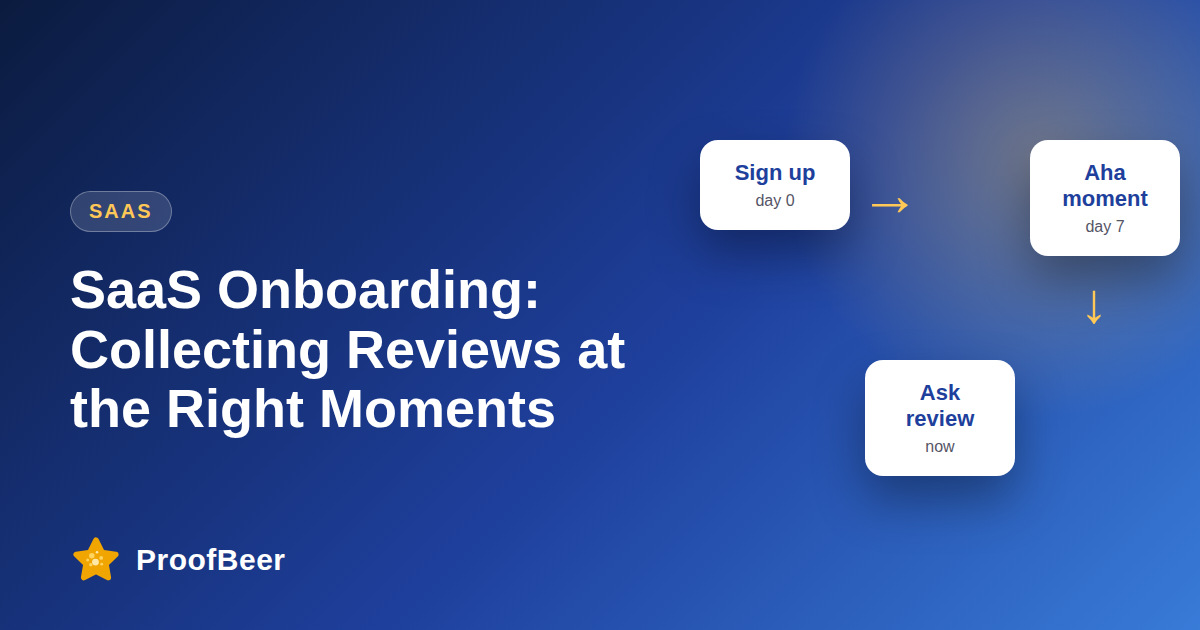
Ask SaaS users for reviews right after they succeed: when they finish setup, reach their first value moment, hit a 30-day milestone or have a support issue resolved. Use a short in-app prompt with an easy skip option, send every eligible user to the same review link, and handle private feedback separately without gating public reviews.
- The best time to ask is after a user has clearly achieved something, because the experience is fresh and positive or at least concrete.
- Triggers based on product events, such as completing setup or finishing a first project, are better than calendar dates alone.
- An in-app prompt should be short, offer a clear skip, and not block the user from their work.
- Send all eligible users to the same public review link instead of routing only happy users, which is review gating and breaks G2, Capterra and Google policies.
- You can offer an optional private feedback form in addition to the public link, as long as it does not replace it.
- Do not offer rewards that depend on a positive review, and check platform rules before giving any thank-you.
- Avoid asking users who are in the middle of a bug, a billing dispute or an unresolved support ticket.
- Measure which trigger produces the most completed reviews using your own product data.
When is the right moment to ask a SaaS user for a review?
- After setup is complete, because the user has reached the first goal and has no friction left to remember.
- At the first value moment, such as generating a first report, publishing a first widget or sending a first campaign.
- At a 30-day or 90-day milestone, when the user has had time to see results.
- After a support issue has been resolved and confirmed, when the user has seen how the team responds.
- After a feature release that the user asked for, when the improvement is relevant to them.
Which trigger fits which type of review?
- Setup completion fits a quick rating and a short comment about the onboarding experience.
- First value fits a detailed review for a public platform, since the user can describe a concrete result.
- A longer milestone suits a more in-depth testimonial or case study, because the user has measurable outcomes.
- A resolved support case fits a short support rating, which is separate from a public product review.
- Plan which platform each trigger points to, such as G2 or Capterra for product reviews and your own form for testimonials.
How do you design an in-app prompt?
- Keep the text short, for example 'Enjoying the product? Share a quick review.' with two clear buttons, one to review and one to skip.
- Show the prompt after a success event and not in the middle of a task.
- Never show it more than once within a set period if the user dismisses it.
- Make sure the link works on both desktop and mobile and opens in a new tab.
- Respect the user's choice, and do not use dark patterns that make skipping hard.
How do you avoid review gating?
- Do not ask 'How happy are you?' and then send only high scorers to a public review site, because platforms such as Google and G2 prohibit selective solicitation.
- You may ask for private feedback, but make the public review link available to every eligible user too.
- Treat support and review requests separately, so a user with a problem gets help first and is still free to review later.
- Do not edit, filter or suppress honest negative reviews on your own display unless they break clear moderation rules.
- Document your policy so the team follows the same rule.
How do you measure onboarding review requests?
- Track how many users see the prompt, click it, skip it and complete a review for each trigger.
- Compare triggers by completion rate and by the quality of the review text.
- Watch for support tickets and complaints created after the prompt, which show if the timing was wrong.
- Review the average rating by trigger, but do not change your process to raise it artificially.
- Use your own data to decide which triggers to keep, and not generic benchmark numbers.
Step-by-step: how to do this with ProofBeer
List the key success events in your product, such as setup completed, first value reached and a 30-day milestone.
Choose two or three triggers to test first, and match each with a platform or form.
Exclude users with open support tickets, billing disputes or recent errors.
Write a short in-app prompt with a clear review button and an easy skip option.
Send the same public review link to every eligible user and add an optional private feedback form beside it.
Cap how often any single user can see the prompt.
Check delivery and click data after the first week and fix any broken links.
Compare completion rates by trigger and keep the ones that perform best.
Common mistakes to avoid
Metrics to track
Prompt impression to click rate for each trigger.
Review completion rate per trigger.
Skip and dismiss rate, which shows if the timing is wrong.
Average review length and detail by trigger.
Support tickets created after the prompt.
Quick checklist
Examples and templates
Setup complete -> short rating; First value -> public review; 30 days -> testimonial; Support resolved -> support rating (illustrative)
'Glad you are up and running. Would you share a quick review? [Review] [Not now]'
'You set up [feature] last week. How is it going? Share your experience: [link]'
- Show the prompt after a success event, not during a task
- Honour a dismissal for a long period
- Pair the public link with a private feedback option, not instead of it
How ProofBeer Helps You Grow
Collect testimonials and reviews through ProofBeer forms that you can link from in-app prompts and onboarding emails.
Use one review link for every user so your process avoids gating, while an optional private feedback form handles issues separately.
Show approved reviews on your pricing and signup pages through widgets so new users see proof while they decide.
Frequently Asked Questions
When should a SaaS company ask for a review?
Ask after the user clearly succeeds, such as finishing setup, reaching a first value moment, hitting a 30-day milestone or having a support issue resolved. Event-based timing works better than sending requests to everyone on the same day.
Is it okay to ask only satisfied users for reviews?
No. Selecting only happy users is review gating, and platforms like Google, G2 and Capterra prohibit it. Send the same public link to every eligible user and offer private feedback as an extra option, not a replacement.
How many times should I ask a user for a review?
Once per trigger is enough, with a long gap before the next request. If the user dismisses the prompt, wait a meaningful period before asking again. Avoid repeated pop-ups, which feel pushy and may reduce goodwill.
Should the review request be in-app or by email?
Use in-app for users who are active in the product at a moment of success and email for those who are not. A combined approach works well, but stop the sequence once the user has submitted a review.
Can I offer a gift card for a SaaS review?
Be careful. G2 and Capterra have rules on incentives, and the FTC rule restricts rewards that depend on sentiment. If you offer a thank-you, make it equal for any honest review and confirm it with the platform and your legal adviser.
How do I handle users who are unhappy during onboarding?
Fix their problem first. Offer help through support, and pause review prompts for users with open issues. You can still make the public review link available later, but do not suppress negative feedback.
Conclusion
The best onboarding review requests arrive when the user has just achieved something real. Pick clear triggers, keep prompts short and skippable, send everyone the same public link and let your
own data show which moments work.
- G2 and Capterra review solicitation guidelines
- FTC Consumer Reviews and Testimonials Rule