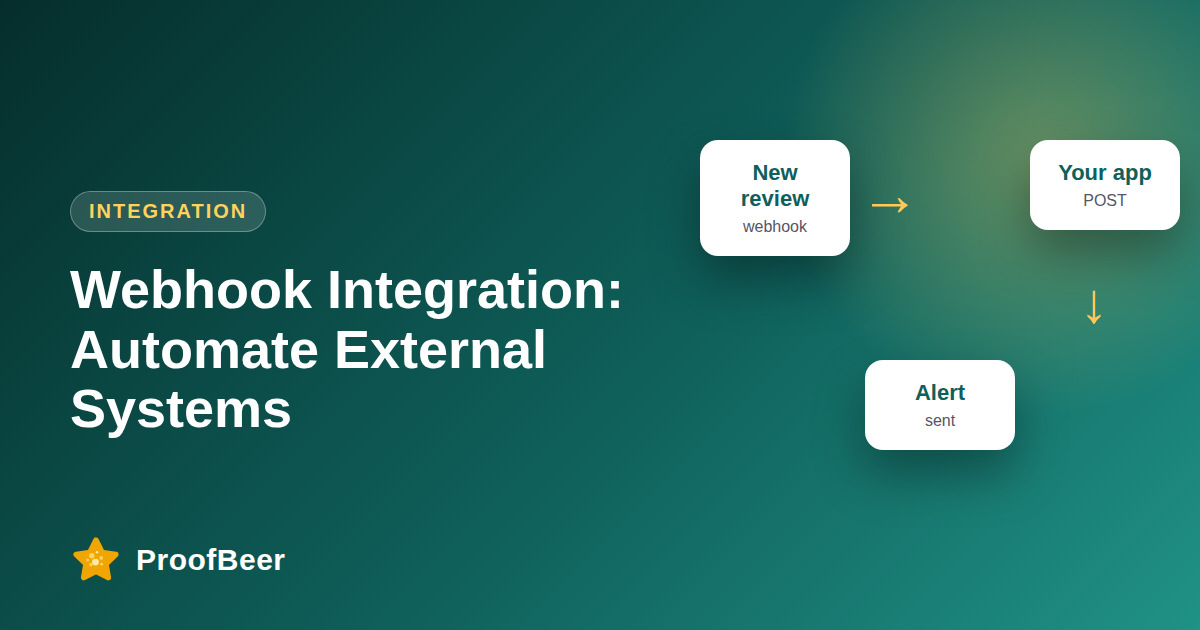
A review webhook is an HTTP POST that a review platform sends to your server when something happens, such as a review being created or answered. You register an endpoint, verify the signature, parse the JSON payload, return a 2xx status quickly and handle retries and duplicates. Event names and payloads below are examples, so confirm them against ProofBeer's developer documentation.
- A webhook pushes data to your server when an event occurs, so you avoid polling an API every few minutes.
- Typical review events include a new review, an edited review, a response posted and a moderation status change.
- Your endpoint should accept a POST with a JSON body and respond with a 2xx status as soon as it has safely queued the work.
- Verify every request, for example with a shared-secret signature, so that nobody else can send fake events to your endpoint.
- Expect retries and duplicates, and use an event ID so processing the same event twice does nothing.
- Do slow work, such as calling other APIs, in a background job instead of before you reply.
- Log each delivery with its ID and status, and set up alerts for repeated failures.
- Treat all payload names, fields and signature methods here as examples until you confirm them with the real product documentation.
What is a review webhook?
- A webhook is a message sent from one system to another when an event happens, delivered as an HTTP POST to a URL you control.
- The review platform acts as the sender, and your server is the receiver that decides what to do with the event.
- Compared with polling, webhooks give faster updates and fewer wasted requests.
- They are well suited to alerts, CRM updates, dashboards and automation tools.
- You still need a way to fetch missed events, such as an API call, in case your server was down.
Which events are common?
- review.created, when a new review arrives (example name).
- review.updated, when a customer edits their text or rating (example name).
- review.responded, when your team posts a reply (example name).
- review.moderated, when a review is approved or rejected (example name).
- Always check the real event list in the developer documentation before building.
What does an example payload look like?
- A typical JSON body includes an event ID, event type, timestamp and a data object holding the review.
- The review object might carry fields such as id, rating, text, author display name, source and a link, with names to be confirmed.
- Include a version field so you can handle changes to the format later.
- Avoid putting more personal data in the payload than the integration really needs.
- Store the raw body for debugging, protecting it as personal data.
How do you keep webhooks secure and reliable?
- Verify a signature header computed with a shared secret over the raw request body, and reject requests that fail the check.
- Use HTTPS only, and restrict who can reach the endpoint if your provider publishes sender addresses.
- Reply with a 2xx status quickly, then process in a queue so slow work does not cause timeouts.
- Store event IDs and ignore duplicates, because providers commonly retry on failure.
- Alert on repeated failures and test with a replay of saved events.
What are example code patterns in Node and Python?
- In Node with Express, read the raw body, compute an HMAC with your secret, compare it with the signature header, and then parse the JSON.
- In Python with Flask or FastAPI, do the same with the hmac module and a constant-time comparison.
- After verification, check whether the event ID is already stored and return 200 if it is.
- Push the event to a queue, return 200, and let a worker handle Slack, CRM or email actions.
- Keep these patterns generic and replace the header names with those in the official documentation.
What are practical use cases?
- Post new reviews to Slack or Teams so the team can reply quickly.
- Create a support ticket automatically when a one or two-star review arrives.
- Add a note to a CRM contact when they leave a review.
- Update a dashboard or spreadsheet with ratings and sources.
- Trigger a thank-you email after a positive review, with consent and without conditions.
Step-by-step: how to do this with ProofBeer
Read the product's webhook documentation and note the real event names, payload format and signature method.
Create an HTTPS endpoint on your server that accepts POST requests with a JSON body.
Store the shared secret safely in an environment variable and never commit it to code.
Verify the signature on the raw body before parsing, and reject any request that fails.
Check the event ID against your database to ignore duplicates.
Queue the work and return a 2xx response within a few seconds.
Process events in a worker and log the result with the event ID.
Test with sample events, then monitor failures and alert on repeated errors.
Common mistakes to avoid
Metrics to track
Delivery success rate for webhook calls.
Median time to reply with a 2xx status.
Number of duplicate events ignored.
Time from review creation to action in the target system.
Failures per week and time to fix them.
Quick checklist
Examples and templates
{"id": "evt_123", "type": "review.created", "created_at": "2026-10-02T09:30:00Z", "data": {"rating": 2, "text": "Late delivery", "source": "website"}} (example only)
read raw body, compute HMAC with the secret, compare with the signature header, parse JSON, check event ID, queue and return 200
use hmac.compare_digest for the signature, then store the event ID, enqueue a job and return 200
- Return 200 first, then do slow work in the background
- Keep the secret out of source control
- Replay stored events after each code change
How ProofBeer Helps You Grow
Connect review events to your own systems, such as Slack, CRM or support tools, through webhooks or an automation tool.
Keep a clear record of approved reviews and consent that your integration can safely act on.
Document supported events and payloads in the developer docs so engineers can build with confidence.
Frequently Asked Questions
What is a webhook in simple terms?
A webhook is an automatic message one system sends to another when something happens. Instead of you asking repeatedly whether a new review exists, the review platform calls your URL as soon as it does.
How do I verify a webhook is genuine?
Use the signature method in the provider's documentation, commonly an HMAC of the raw body with a shared secret. Compare it in constant time, reject mismatches and use HTTPS. Event names and header names here are examples only.
What status code should my endpoint return?
Return a 2xx code, usually 200 or 204, once you have safely received and queued the event. Return a 4xx code for bad requests and a 5xx code only for real failures, since many senders retry on 5xx.
What if I receive the same event twice?
Treat it as normal. Store each event ID and skip any you have already processed, so a retry cannot cause two Slack messages or two tickets. Idempotent handling is the simplest protection.
Does ProofBeer offer webhooks?
Check the current ProofBeer developer documentation and integrations page for supported events and setup, because this article uses example names . If webhooks are not available, an automation tool or API polling can bridge the gap.
How do I test webhooks locally?
Use a tunnelling tool to expose a local port over HTTPS, send sample events from the provider's test option, and save the raw requests so you can replay them. Remove the tunnel and secrets when you finish.
Conclusion
Webhooks turn reviews into real-time triggers for your team. Verify every request, reply quickly, handle duplicates and keep the example event names in this guide as placeholders until they are
confirmed against the real documentation.
- Stripe webhook best practices (as a reference)
- HTTP/1.1 status code documentation (MDN)
- ProofBeer developer docs