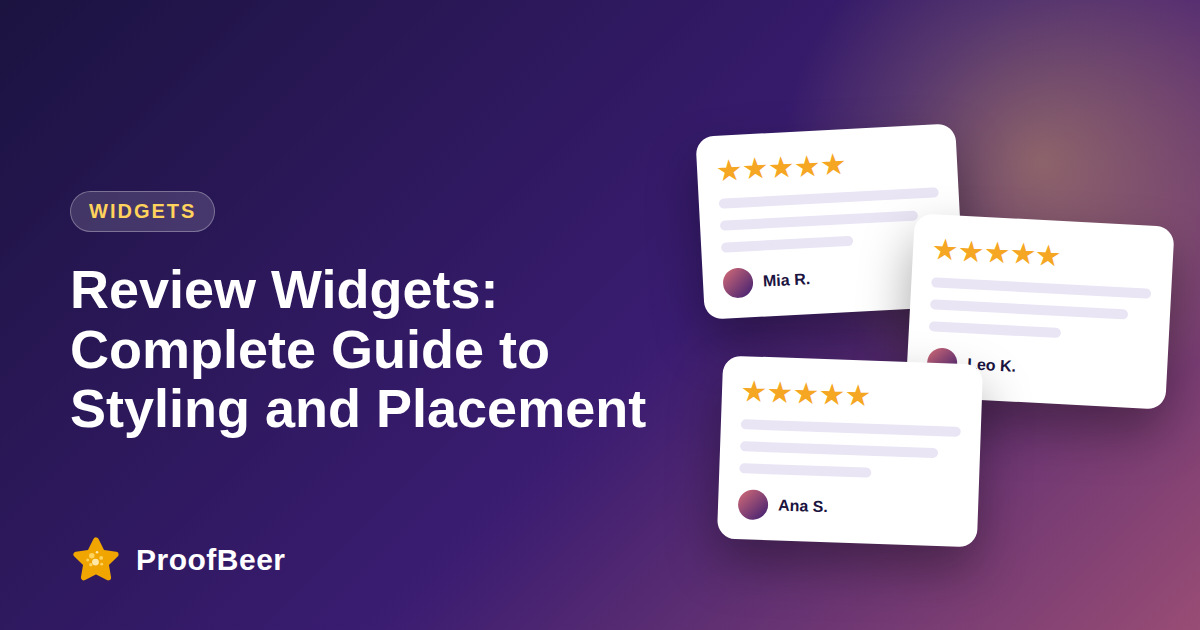
Style review widgets to match your brand, make the rating large and easy to scan, use whitespace and keep the layout responsive. Place them where visitors decide: near the headline, beside the call to action and in product sections. Test floating, badge, carousel and wall formats, avoid aggressive popups and check speed and accessibility.
- Placement and design decide whether visitors notice and trust your reviews.
- Choose widget types by purpose, such as a badge for ratings, a carousel for quotes and a wall for a dedicated page.
- Make the star rating and review count large and clear, and keep review text readable.
- Match brand colours and fonts, while keeping contrast accessible.
- Design mobile first, because most visitors may be on a phone and covered buttons cost conversions.
- Avoid layout shift by reserving space for the widget before it loads.
- Test placement and format with A/B tests and measure clicks and conversions.
- Check page speed and Core Web Vitals after adding any widget.
Which review widget types are available?
- A star rating badge shows the average rating and count in a compact format that suits headers and product titles.
- A carousel or slider shows several quotes in a small space, but make sure it does not auto-rotate too quickly.
- A floating widget stays on the side or corner of the screen and can keep proof visible, but use it carefully.
- A modal gallery opens a popup of reviews and should be user-triggered rather than automatic.
- A grid or Wall of Love fits a dedicated reviews page where visitors can read many testimonials.
Where is the best place to put review widgets?
- Place a star rating badge near the main headline or product title so it is seen without scrolling.
- Place a carousel or short list of top reviews just below or beside the main call to action.
- Put detailed reviews in a product section where people compare details.
- Use a sticky sidebar or small floating element on long pages for quiet reminders.
- Use the footer for secondary proof such as links to review profiles and a summary rating.
How should you style a review widget?
- Match your brand colours, fonts and corner radius so the widget feels native to the page.
- Make the rating number and stars large and the review text at least a comfortable reading size.
- Give each card enough whitespace and keep the card style consistent.
- Show a name, role or location and date to increase believability, with consent.
- Check text and star contrast against the background to meet accessibility guidelines.
How do you design widgets for mobile?
- Use a single-column or swipeable layout that fits narrow screens.
- Make controls large enough to tap and keep space between them.
- Ensure the widget does not cover the main button, cookie banner or navigation.
- Check load speed on a mobile connection and avoid heavy scripts.
- Test on real devices and in common browsers, not just in a desktop preview.
How do you keep widgets accessible and fast?
- Use semantic HTML or labelled elements so screen readers can read ratings and reviews.
- Provide keyboard access for any carousel and a way to pause auto-rotation.
- Reserve height for the widget to prevent layout shift while it loads.
- Load widget scripts asynchronously or lazy-load below the fold.
- Make sure review text is in the page HTML where possible so search engines and AI tools can read it.
How do you test and improve widgets?
- A/B test one change at a time, such as position, widget type or number of reviews.
- Track clicks on the widget, scroll depth and conversion rate on the page.
- Watch Core Web Vitals, especially cumulative layout shift, before and after.
- Review heatmaps or session recordings if you have them to see whether visitors engage.
- Revisit the design each quarter and refresh the reviews shown.
Step-by-step: how to do this with ProofBeer
Decide the goal of the page and which widget type supports it.
Choose a style that matches your brand colours, fonts and spacing.
Place a rating badge near the headline and a review list or carousel near the call to action.
Check that the widget is readable and accessible on mobile.
Reserve space and load the script asynchronously to protect page speed.
Launch to a sample of traffic with an A/B test if possible.
Measure conversion, clicks and Core Web Vitals after launch.
Refine placement and style each month based on the data.
Common mistakes to avoid
Metrics to track
Conversion rate on pages with and without the widget.
Click-through rate on the widget.
Cumulative layout shift and largest contentful paint.
Scroll depth and time on page.
Bounce rate on key landing pages.
Quick checklist
Examples and templates
headline, star rating badge, hero button, carousel of three reviews, product details, full reviews section
widget stays above the button and never covers it
Version A badge only, Version B badge plus carousel, measure conversion after two weeks
- Reserve widget height to avoid layout shift
- Pause auto-rotation on hover and focus
- Refresh the displayed reviews every quarter
How ProofBeer Helps You Grow
Embed lightweight widgets with simple styling options so they match your brand without heavy customization.
Show Google, Facebook and direct reviews in the same widget so visitors see a consistent set of proof.
Use the Wall of Love format for a dedicated reviews page that you can link from navigation, emails and social profiles.
Frequently Asked Questions
Where should I place review widgets on my site?
Put a rating badge near the headline, reviews close to the call to action and detailed reviews in product sections. Test different positions because the best place depends on your audience and layout.
Which review widget type works best?
It depends on the page. Badges suit headers and product titles, carousels save space, walls suit dedicated pages and floating widgets can work on high-traffic pages. Test a few options and compare conversion.
Do review widgets slow down my site?
They can, especially if they load heavy scripts. Choose a lightweight widget, load it asynchronously, reserve space to prevent layout shift and check Core Web Vitals after installing it.
Are floating review popups a good idea?
They can work if they are subtle and do not cover important content, but aggressive popups frustrate visitors and can hurt conversion. Test carefully and give visitors an easy way to close them.
How do I make review widgets accessible?
Use readable text sizes, strong contrast, keyboard access and labels for screen readers. Let users pause any moving carousel and ensure the widget does not trap focus or block navigation.
Will review widgets help SEO?
If review text is available in the page HTML and not hidden in a script that crawlers cannot read, it can add useful content. Widgets alone do not guarantee rankings, and structured data must follow Google's rules.
Conclusion
A review widget works when it is visible, readable and fast. Match your brand, place it at decision points, design for mobile and accessibility, and let tests decide what stays.
- WCAG 2.2
- web.dev Core Web Vitals